Payment Instructions
Setting Up Your Payment Plan
After creating your account and logging into the portal, you'll be able to review the payment and settlement options available for your account. Follow the steps below to select the option that best fits your needs and complete your payment arrangement.
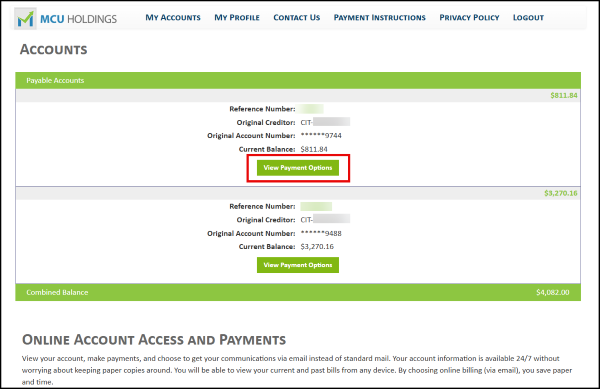
Step 1: View Your Available Options
Once you've created your account and logged in, select View Payment Options to see the payment plans and settlement opportunities available for your account.
Step 2: Choose the Option That Fits Your Budget
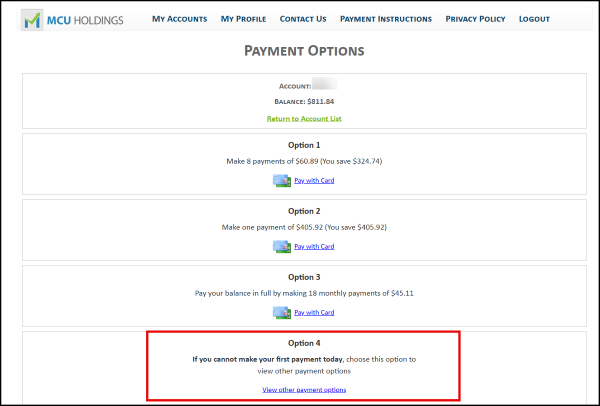
Review the available options and select the one that best matches your current situation.
Need a little more time before making your first payment? Select Option 4 to customize your payment start date and build a plan that works for you.
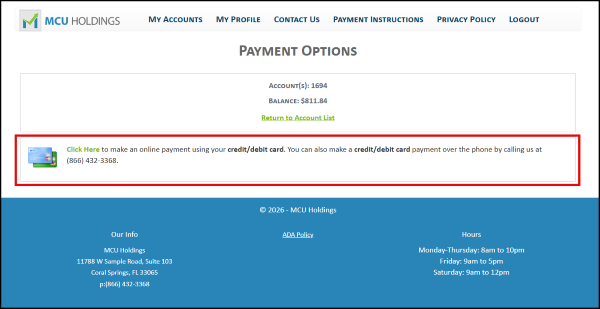
Step 3: Select Your Payment Method
Choose Debit Card as your payment method to continue setting up your arrangement.
Step 4: Finalize Your Payment Arrangement
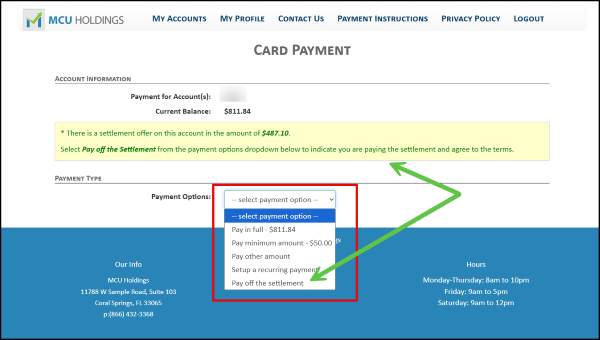
Use the dropdown menu to select the payment option that best meets your needs.
If your account qualifies for a settlement offer, it will appear as an available selection in the dropdown menu and will also be highlighted in the yellow information box shown on the screen.
Once you've selected your preferred option, review the details and complete the setup process.